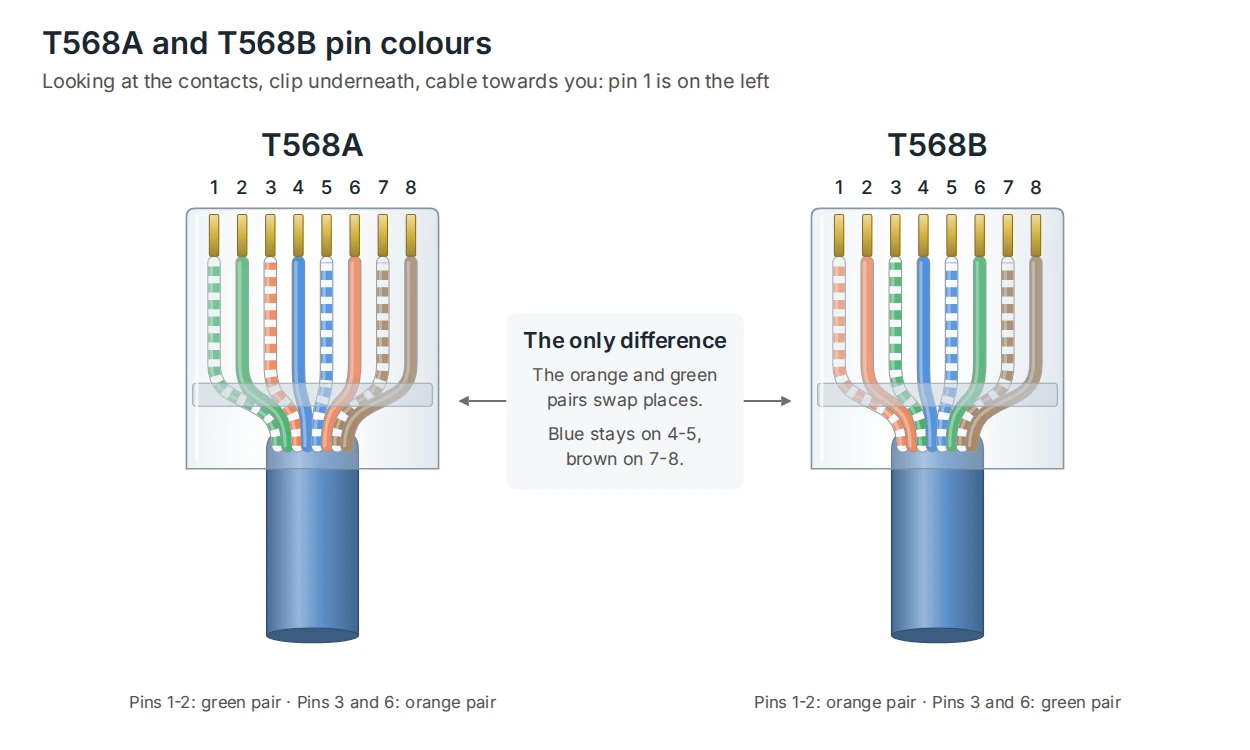
T568A and T568B are the two standard ways to wire the eight conductors of a twisted-pair data cable into an RJ45 plug, keystone or patch panel. Both come from the TIA-568 standard. They use exactly the same pins for the same pairs; the only difference is that the orange and green pairs swap places.
That makes the choice simpler than it looks. Neither scheme is faster, and neither carries more power or data. What matters is that every link is wired the same way at both ends, and that a site sticks to one scheme so the next installer knows what to expect.
T568A and T568B pin colours
| Pin | T568A | T568B |
|---|---|---|
| 1 | White/green | White/orange |
| 2 | Green | Orange |
| 3 | White/orange | White/green |
| 4 | Blue | Blue |
| 5 | White/blue | White/blue |
| 6 | Orange | Green |
| 7 | White/brown | White/brown |
| 8 | Brown | Brown |
To read pin numbers, hold the plug with the contacts facing you, the clip underneath and the cable towards you. Pin 1 is on the left. The blue pair always sits on pins 4 and 5 and the brown pair on 7 and 8; only pins 1, 2, 3 and 6 change between the two schemes.
Which one should you use?
TIA-568 recommends T568A for new cabling and allows T568B. In practice T568B is also very common, and many existing sites are already wired that way. Both perform identically, so the right answer is usually whichever the site already uses.
- Extending an existing installation: match what is there. Check a few outlets or the patch panel labels before you start.
- A new site: follow the specification. If it doesn’t say, pick one, record it in the handover documents and use it everywhere.
- Never mix within a link: the panel end and the outlet end of each installed cable must use the same scheme.
Most keystones and patch panels print both colour codes on the termination block, so the same part works for either scheme. DTECH XG toolless keystones are colour-coded for T568A and T568B and take 22 to 24 AWG solid conductors, so they suit both DTECH Cat6 and Cat6A cable.
What has to match, and what doesn’t
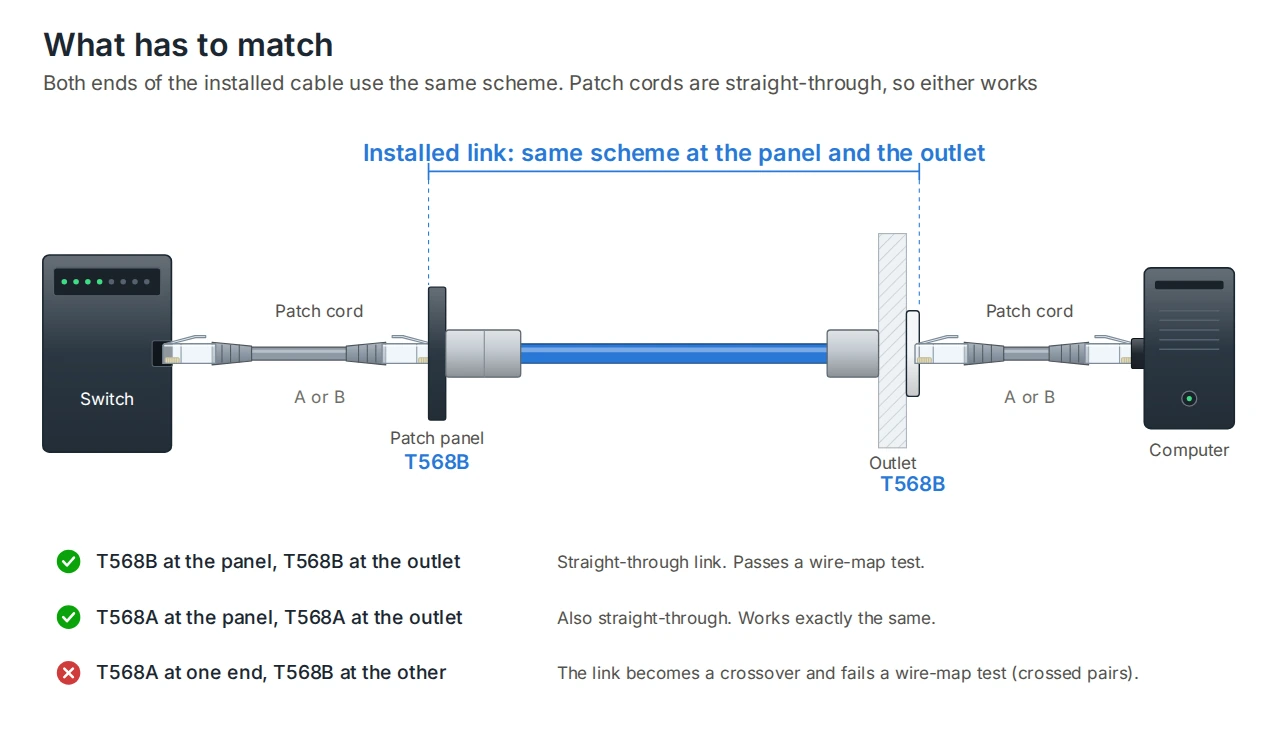
The part that has to match is the installed link: the fixed cable from the patch panel to the outlet. Terminate both ends T568B, or both ends T568A, and the link is straight-through. Terminate one end A and the other end B and the link becomes a crossover, which a certification tester flags as crossed pairs on the wire map.
Patch cords are different. A patch lead is straight-through whichever scheme it uses, because it has the same scheme at both of its own ends. So a site wired T568B can use leads made to T568A, and the other way round, without any problem. How to read a cable test certificate explains the wire-map result.
Straight-through and crossover cables
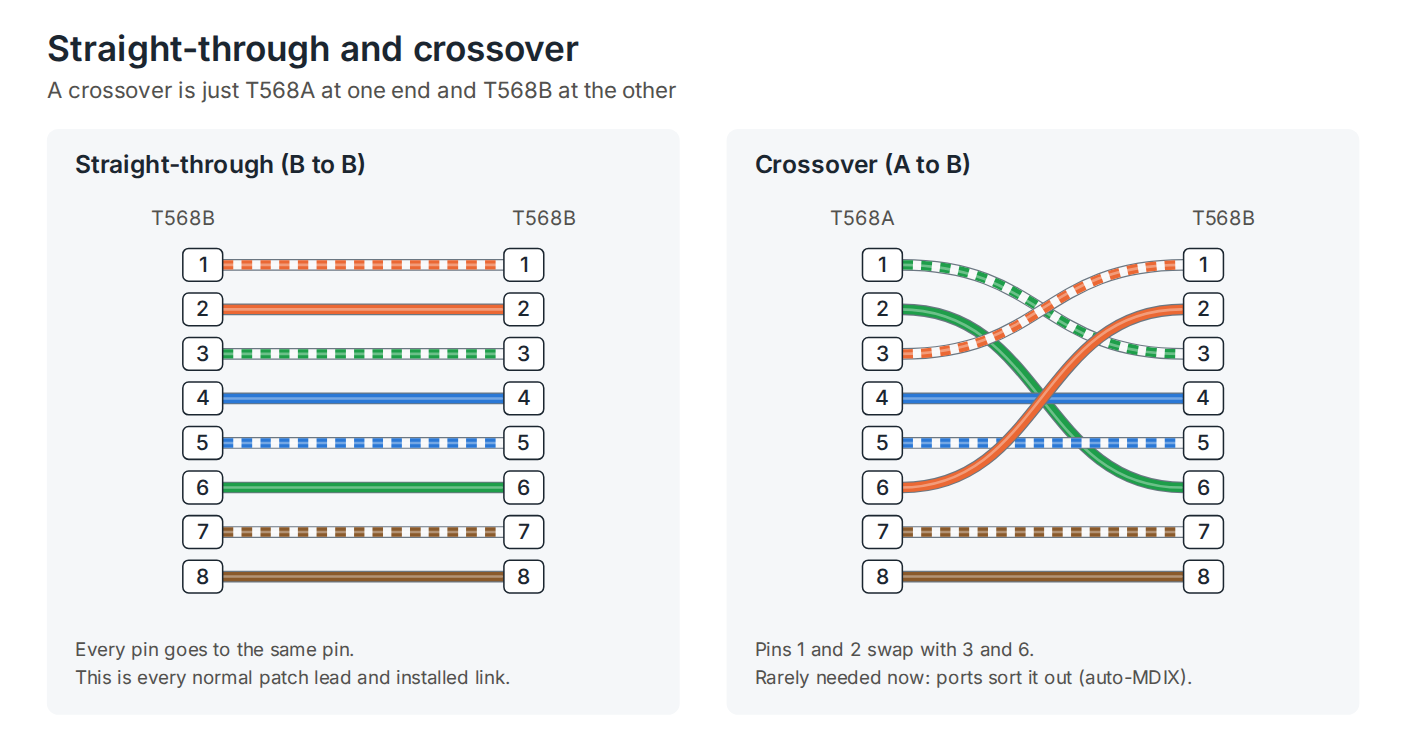
A crossover cable is simply T568A at one end and T568B at the other. 10BASE-T and 100BASE-TX Ethernet send on one pair and receive on another, so connecting two devices of the same type, such as two switches or two computers, used to need the transmit pair crossed over to the other side’s receive pair.
That need has largely gone. Almost every modern Ethernet port detects the cable and swaps transmit and receive automatically, a feature called auto-MDIX. Gigabit and faster Ethernet use all four pairs in both directions, and their ports sort out the connection the same way. Use straight-through cables everywhere, and keep crossovers for the rare old device that needs one.
Does the scheme affect speed or PoE?
No. Speed depends on the cable category, the length and the quality of the termination, not on the colour code. 10/100 Mb/s Ethernet uses pins 1, 2, 3 and 6; Gigabit and above use all eight. Power over Ethernet uses the same pins whichever scheme is chosen, so T568A and T568B carry PoE, PoE+ and PoE++ in exactly the same way. PoE vs PoE++ covers the power levels.
What does affect performance is how the pairs are terminated. Keep the twist as close to the contacts as possible, untwisting no more than 13 mm, and don’t swap individual wires between pairs. A wire moved into the wrong pair can still pass a simple continuity check while failing crosstalk tests badly.
Terminating plugs and outlets
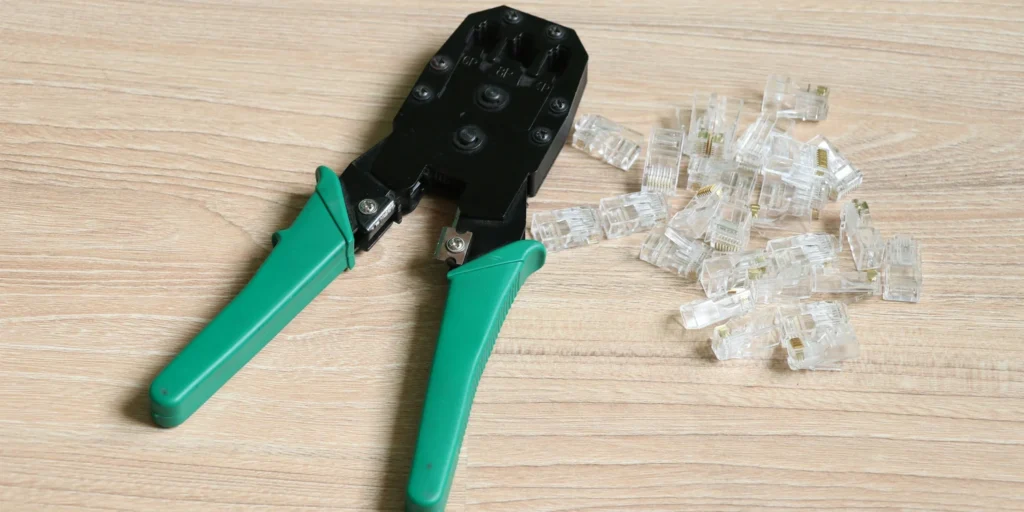
At the outlet and the patch panel, the colour code is printed on the keystone or panel, so terminating to A or B is a case of following the right row of colours. For leads made on site, DTECH Cat6 Quick-Fit RJ45 plugs are pass-through, so the conductors can be checked in order before crimping, and suit 23 to 24 AWG solid and stranded conductors. For most installations, factory-made patch leads are quicker and more consistent than crimping on site.
If you’re not sure what an existing site uses, look at the conductor colours through a clear plug, or at the label on the back of the patch panel. Pin 1 carrying white/orange means T568B; white/green means T568A. What is an RJ45 connector covers the plug itself.
Frequently asked questions
Is T568A or T568B better?
Neither. They perform identically. The only difference is that the orange and green pairs swap positions.
Can you mix T568A and T568B on the same network?
Yes, as long as each cable is the same at both ends. A site wired T568B can use patch leads made to T568A. What you can’t do is terminate one end of an installed link A and the other end B.
Which is used in the UK?
Both. T568B is very common on existing sites, while TIA-568 recommends T568A for new cabling. Follow the specification, or match what the site already uses.
What happens if one end is A and the other is B?
The cable becomes a crossover. Most modern equipment will still connect thanks to auto-MDIX, but the link will fail a wire-map test, so it should be re-terminated.
Do I need a crossover cable to connect two switches?
Almost never. Modern switches detect the cable automatically. A standard straight-through patch lead will work.
Summary
T568A and T568B differ only in where the orange and green pairs go. Both carry the same speeds and the same PoE. Pick one scheme for a site, use it at both ends of every installed link, and record it for whoever works on the cabling next. Patch leads are straight-through, so either kind works. DTECH supplies data cable, keystones, patch panels and RJ45 plugs colour-coded for both schemes.
If you need help choosing cable and connectivity for your installation, get in touch with the DTECH team.