A patch panel is one of those components that is easy to overlook when planning a network — it does not switch, route, or process data, and to the uninitiated it can look like an expensive way to add an extra set of connectors between the cable and the switch. In practice, it is the component that makes a structured cabling installation manageable over its lifetime. Without it, every change to the network means physically tracing and moving permanent cable. With it, changes happen at the front of a rack in seconds, without touching a single installed cable.
This guide explains what a patch panel is, how it works, the main types available, and what to consider when specifying one for a copper or fibre installation.
What a patch panel does
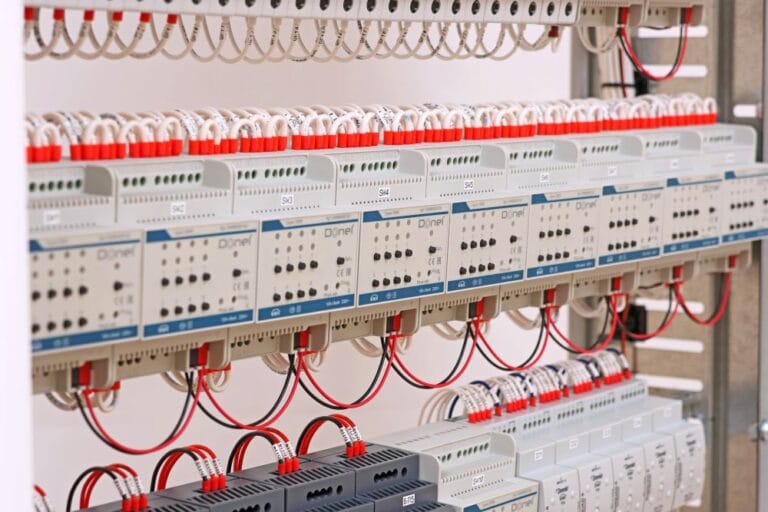
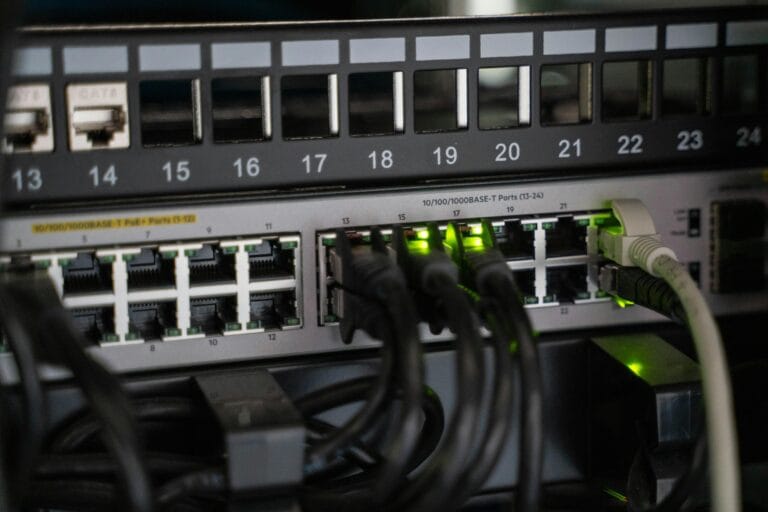
A patch panel is a passive termination and management device mounted in a rack or wall cabinet. On a copper installation, the permanent horizontal cables — the solid-core Cat6 or Cat6A runs installed through the building’s walls and ceiling voids — terminate at the rear of the patch panel via IDC (insulation displacement connector) termination. The front of the panel presents a row of numbered RJ45 ports. A short patch cord connects each port on the front of the panel to the corresponding port on the network switch, creating the complete channel from switch to desk outlet.
The key principle is the separation between permanent and flexible cabling. The installed cable is fixed — it runs through the building fabric and is not designed to be moved. The patch cord at the panel end is flexible and can be changed at any time. Connecting a particular desk outlet to a different switch port, moving a device from one VLAN to another, or temporarily rerouting a circuit for testing — all of these operations happen at the patch panel, in seconds, without disturbing any installed cabling.
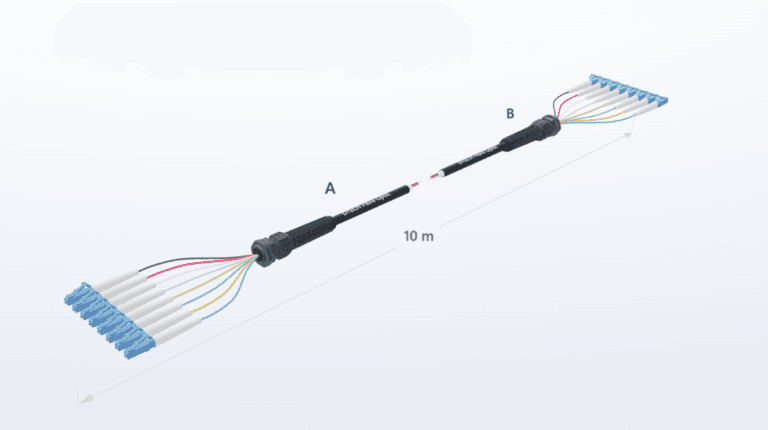
On a fibre installation the principle is the same. Permanent fibre runs terminate at the rear of the fibre patch panel via a splice tray or direct connector termination, and front-mounted adaptor ports accept fibre patch leads that connect to the switch or active equipment. The installed fibre is never touched; only the patch leads change.
Why patch panels matter for network management
The practical value of a patch panel extends well beyond the initial installation. In any building where the network will be in service for years — which is most buildings — the configuration of who connects to what will change repeatedly. Staff move between offices, departments reorganise, new devices are added, old ones are removed. A network without patch panels requires a cable installer for every one of these changes. A network with a well-documented patch panel can be reconfigured by anyone with a patch cord and the panel labelling documentation.
Patch panels also protect the network switch ports. Switch ports are not designed to be connected and disconnected repeatedly — each cycle introduces wear on the connector. Patch cords bear that wear instead, and when a patch cord fails or wears out it costs pennies to replace. The switch port behind it remains undisturbed.
For fault finding, a clearly labelled patch panel is invaluable. Every port corresponds to a specific outlet, documented in the installation records. Isolating a fault to a specific run, swapping a patch cord to test a port, or confirming which outlet a device is connected to — all of this is faster and more reliable when the patch panel is the central termination point for the entire floor or building.
Types of copper patch panel
Fixed punch-down panels
A fixed punch-down panel has built-in IDC termination blocks on the rear — one set of colour-coded terminals per port, wired to T568A or T568B standard using a punch-down tool. The panel is a single unit: the ports and the termination blocks are integrated. Fixed punch-down panels are reliable, compact, and cost-effective for straightforward installations where the port configuration is unlikely to change. The limitation is that if an individual port or termination fails, the entire panel must be replaced rather than a single module.
Keystone patch panel frames
A keystone panel frame is an unloaded panel — a 1U or 2U rack-mount chassis with a row of apertures that accept standard keystone jacks. The installer terminates individual keystone jacks onto the horizontal cables and clicks them into the frame. The category of the installation is determined by the keystones used, not the frame, making keystone frames category-agnostic. A frame populated with Cat6A keystones is a Cat6A patch panel; the same frame with Cat6 keystones is Cat6. Ports can be replaced individually if they fail, and the panel can be upgraded one port at a time as requirements change.
DTECH’s 24-port 1U keystone frame features a quick-lock rear cable management system — the horizontal cables are secured to the rear of the panel without cable ties, significantly reducing termination time on large installations. On a 24-port panel the time saving is noticeable; across a full floor or building with dozens of panels, it is substantial. The quick-lock system also makes future access to the rear of the panel cleaner, without the tangle of cable ties that accumulates on standard rear bars over the life of an installation.
Copper panel density
Copper patch panels are available in 24-port 1U and 48-port 2U configurations as standard. 24-port panels suit smaller telecommunications rooms and modular installations where it is useful to group ports by zone or floor. 48-port panels maximise rack density where a large number of horizontal runs terminate in a single location. On a 48-port panel, a full floor of 48 outlets terminates in 2U of rack space — leaving the remaining rack space for switches, cable management, and passive equipment. View the full DTECH copper patch panel range for available configurations.
Fibre patch panels
Fibre patch panels serve the same organisational purpose as copper panels but for fibre optic backbone and horizontal runs. The permanent fibre cables terminate at the rear of the panel — either via pigtail splicing into a splice tray or via direct connector termination — and front-mounted fibre adaptors accept the patch leads that connect to switches, media converters, or other active equipment.
DTECH’s unloaded fibre panels are available in 24-port and 48-port configurations, and in larger 48-port and 96-port high-density versions for data centre and high-fibre-count backbone installations. The panels feature removable sliding trays and rail-mount construction — the tray pulls forward out of the panel body for access to splices and rear terminations, eliminating the need to remove the panel from the rack to work on the rear. On installations where fibre counts are high and access to panel internals is required regularly, sliding tray construction makes a significant difference to installation and maintenance time.
For installations where installation speed is a priority, DTECH’s pre-loaded fibre patch panels are supplied with fibre adaptors already factory-fitted in the panel — removing the on-site task of populating the panel with individual adaptors before installation can begin. The unloaded fibre patch panels provide the same panel construction for installations where adaptor type needs to be specified on site or where a mixed-adaptor configuration is required.
Patch panel vs direct connection to switch
On small installations — a single switch serving a handful of devices in one room — connecting horizontal cables directly to the switch with field-terminated patch cords is sometimes done. It is not best practice and does not scale. As soon as the installation grows beyond a handful of ports, the absence of a patch panel becomes a maintenance problem: cables plugged directly into switch ports cannot be easily traced or reconfigured, fault finding is slower, and every change requires someone physically working with the permanent cable rather than a patch cord at the front of a panel. Any installation intended to support more than a small number of users or to remain in service for more than a few years should use a patch panel.
Frequently asked questions
Does a patch panel affect network performance?
No — a correctly specified and installed patch panel is a passive component and introduces no measurable performance degradation. The patch panel port is one of the permitted connection points within the 100-metre channel, and its contribution to insertion loss and return loss is accounted for within the channel performance budget. A patch panel that is incorrectly specified — for example, a Cat5e panel in a Cat6 installation — will limit the channel to the lower category rating. Specifying panel and keystone jack categories to match or exceed the installed cable category is the key requirement.
How many ports do I need on a patch panel?
The number of ports should match or exceed the number of horizontal cable runs terminating at that panel location, plus a reasonable allowance for growth. A telecommunications room serving 20 current outlets with potential for 30 is better served by a 24-port or 48-port panel than a 24-port panel that is immediately full. Panels that are fully populated from day one leave no room for additions without adding another panel, which consumes additional rack space and can complicate cable management.
What is the difference between a loaded and unloaded fibre patch panel?
An unloaded fibre patch panel is supplied as a panel body and tray without fibre adaptors fitted — the installer selects and fits the appropriate adaptor type (LC, SC, MPO, and so on) on site. A loaded or pre-populated panel is supplied with adaptors already factory-fitted, reducing on-site assembly time. DTECH’s loaded fibre patch panels are supplied pre-populated, ready to accept patch leads immediately on installation.
Can I mix copper and fibre ports in the same panel?
On a keystone panel frame, it is possible to mix copper keystone jacks and fibre adaptor keystones in the same chassis where the frame supports both. In most commercial structured cabling installations copper and fibre panels are kept separate — copper panels for horizontal cabling to workstations, fibre panels for backbone runs between telecommunications rooms and equipment rooms. This separation makes the rack layout cleaner and makes the port documentation straightforward.
Do I need a patch panel for a small office network?
For any permanent installed cabling with more than a handful of runs, yes. A patch panel adds a small cost at installation time and pays that back many times over in the reduced time required for moves, changes, and fault finding over the life of the installation. The question is not whether a patch panel is worth it — it always is — but which type and density best suits the installation.
Summary
A patch panel is the termination and management point for permanent cabling in a structured cabling installation. It separates the fixed horizontal cable plant from the flexible patch cord layer, making the network reconfigurable without touching installed cabling, protecting switch ports from repeated connection cycles, and providing the centralised, documented connection point that makes fault finding and ongoing management practical. Copper keystone frames, fixed punch-down panels, unloaded fibre panels, and pre-loaded fibre panels each suit different installation types — the choice depends on port count, flexibility requirements, and installation speed priorities.
If you need help specifying patch panels for a copper or fibre installation, get in touch with the DTECH team — we supply structured cabling components to installers and IT teams across the UK, Europe, and the Middle East.