Industrial Ethernet is Ethernet. The frames, the speeds and the IEEE 802.3 standards are the same ones that run an office network, and an industrial device will talk to an office switch through an ordinary patch lead. What changes is everything around the signal: the cable, the connectors, the switches and the way the network is laid out, because a factory floor is a much harsher place than an office.
This guide covers what’s actually different, why it matters, and where standard office cabling is still fine in an industrial building.
What stays the same
- The Ethernet standards. 100BASE-TX, 1000BASE-T and 10GBASE-T work the same way on the factory floor as in an office.
- The 100 m rule. A twisted-pair copper link is still limited to 100 m between active devices.
- The RJ45 interface. An industrial RJ45 has the same pins and pairs as an office one, so it plugs into any standard port.
- IP networking. Industrial devices still use IP addresses, switches and routers, which is why plant data can reach business systems.
What changes: the environment
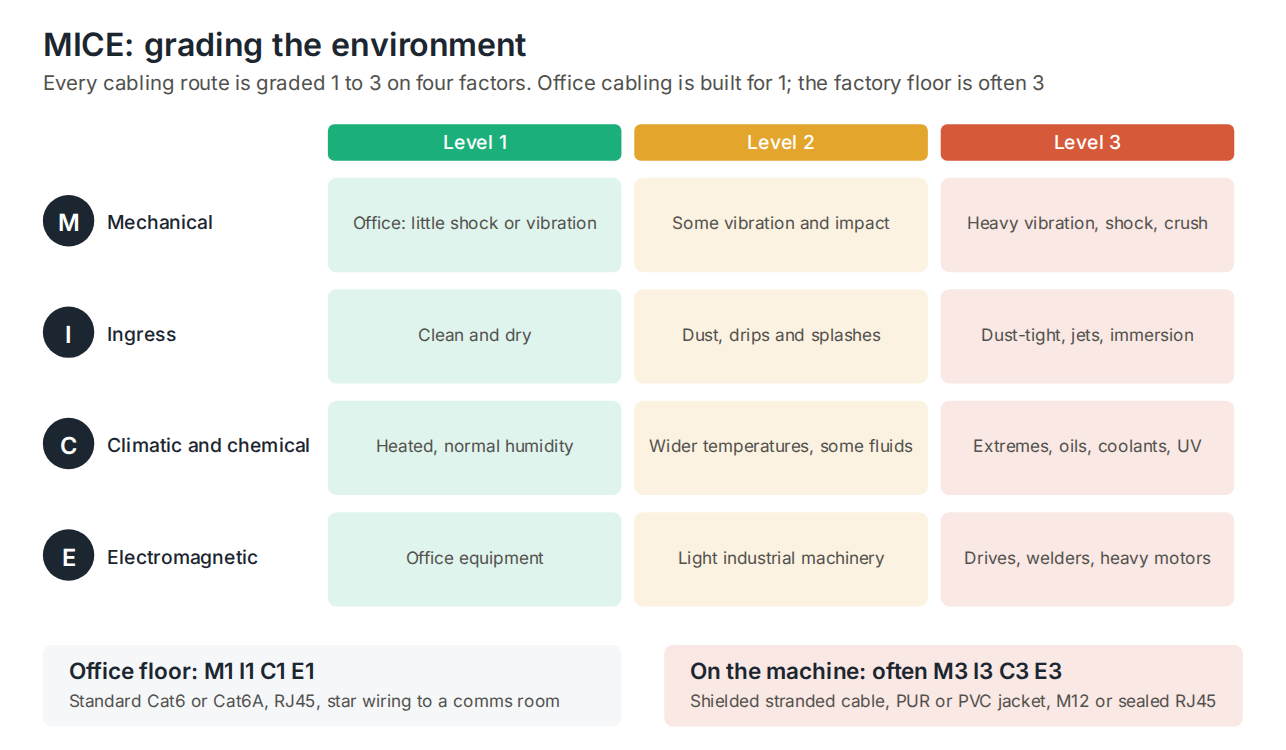
Cabling standards describe the environment with MICE: Mechanical, Ingress, Climatic and chemical, and Electromagnetic, each graded from 1 to 3. An office is M1 I1 C1 E1. A cable mounted on a machine can easily be M3 I3 C3 E3: shaken by vibration, sprayed with coolant, splashed with oil, and running past variable speed drives and welders that put out strong interference.
MICE is graded route by route, not site by site. The cabling inside a clean, air-conditioned control room may be level 1, while the run from the cabinet to a robot cell is level 3. The grade decides the cable and connectors, not the label on the building.
What changes: the cable
| Office cable | Industrial cable | |
|---|---|---|
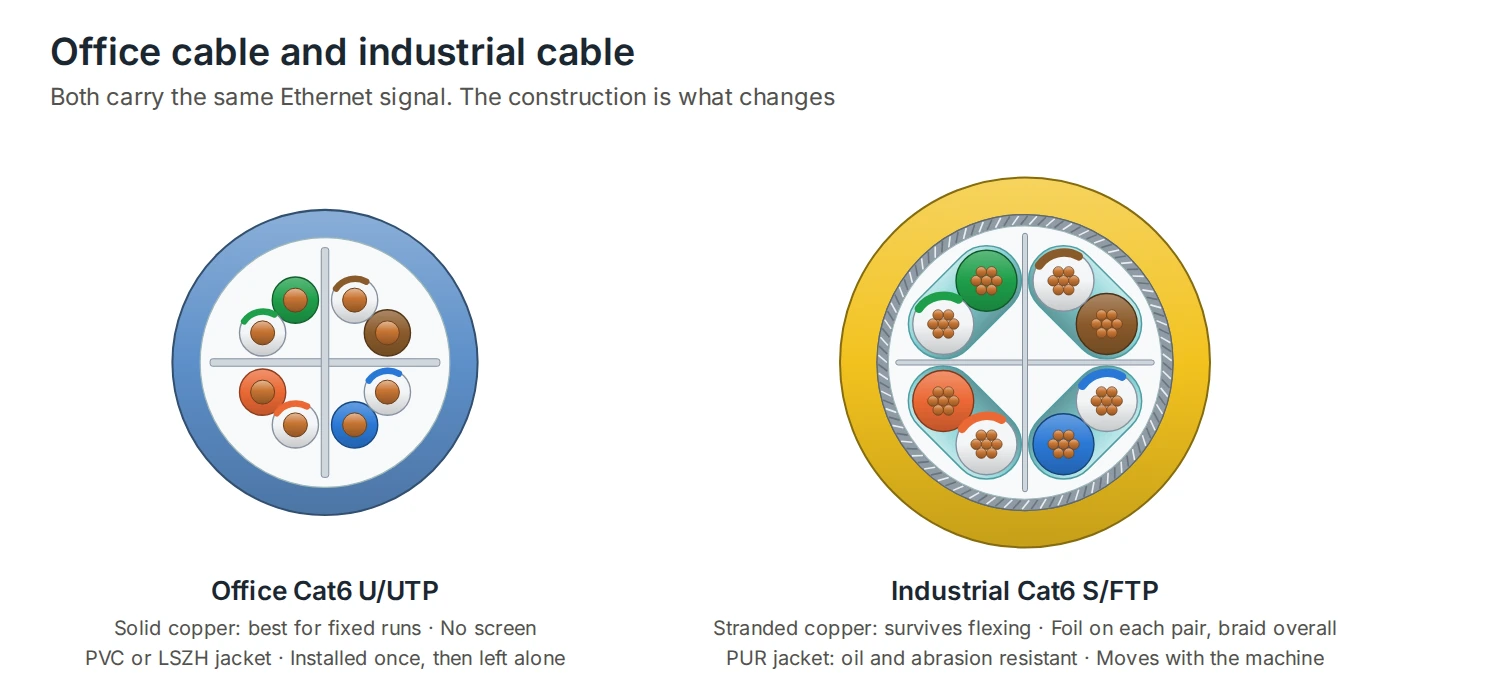
| Conductors | Solid copper | Stranded copper, to survive flexing and vibration |
| Screening | Often unscreened (U/UTP) | Usually screened: SF/UTP or S/FTP |
| Jacket | PVC or LSZH | PUR for oil, abrasion and movement; PVC for fixed runs |
| Pairs | Four pairs | Two pairs (4-core) for 100 Mb/s, or four pairs for Gigabit |
| Colour | Any | Often green for 100 Mb/s networks, yellow or teal for others |
Stranded conductors take repeated bending that would crack solid copper, and screening keeps interference from drives and motors out of the signal. DTECH Cat6 industrial cable is S/FTP with stranded 24 AWG copper and a PUR jacket resistant to oils, coolants and abrasion, rated for cable chains and robotic arms. For fixed runs and less demanding areas, DTECH Cat5e industrial cable is SF/UTP with a flexible PVC jacket. Cable shielding explained covers the screen types.
What changes: the connectors
An office RJ45 relies on a plastic clip and offers no sealing at all. Industrial connections use one of two approaches:
- Industrial RJ45: the standard RJ45 interface in a metal housing with a seal and a locking mechanism. It plugs straight into standard ports and suits control cabinets and RJ45-native equipment. DTECH 8-pin industrial RJ45 connectors terminate tool-free onto 22 to 24 AWG conductors.
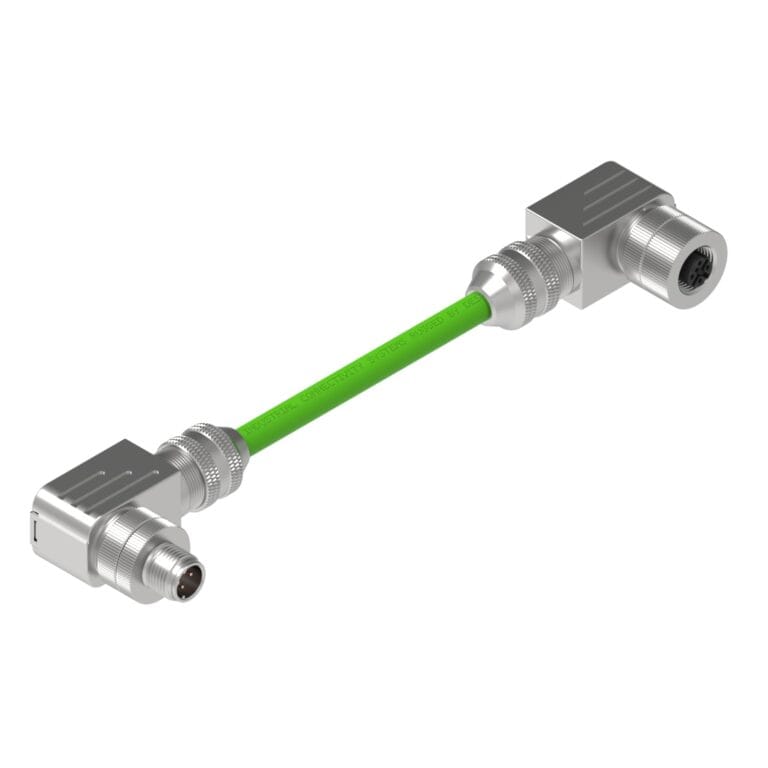
- M12: a circular connector with a 12 mm screw thread, sealed to IP67 when mated. D-code carries 100 Mb/s, X-code carries Gigabit and 10 Gigabit. DTECH M12 X-code to RJ45 assemblies use Cat6A S/FTP cable with a PUR jacket.
Industrial RJ45 vs M12 compares the two in detail.
What changes: topology and redundancy
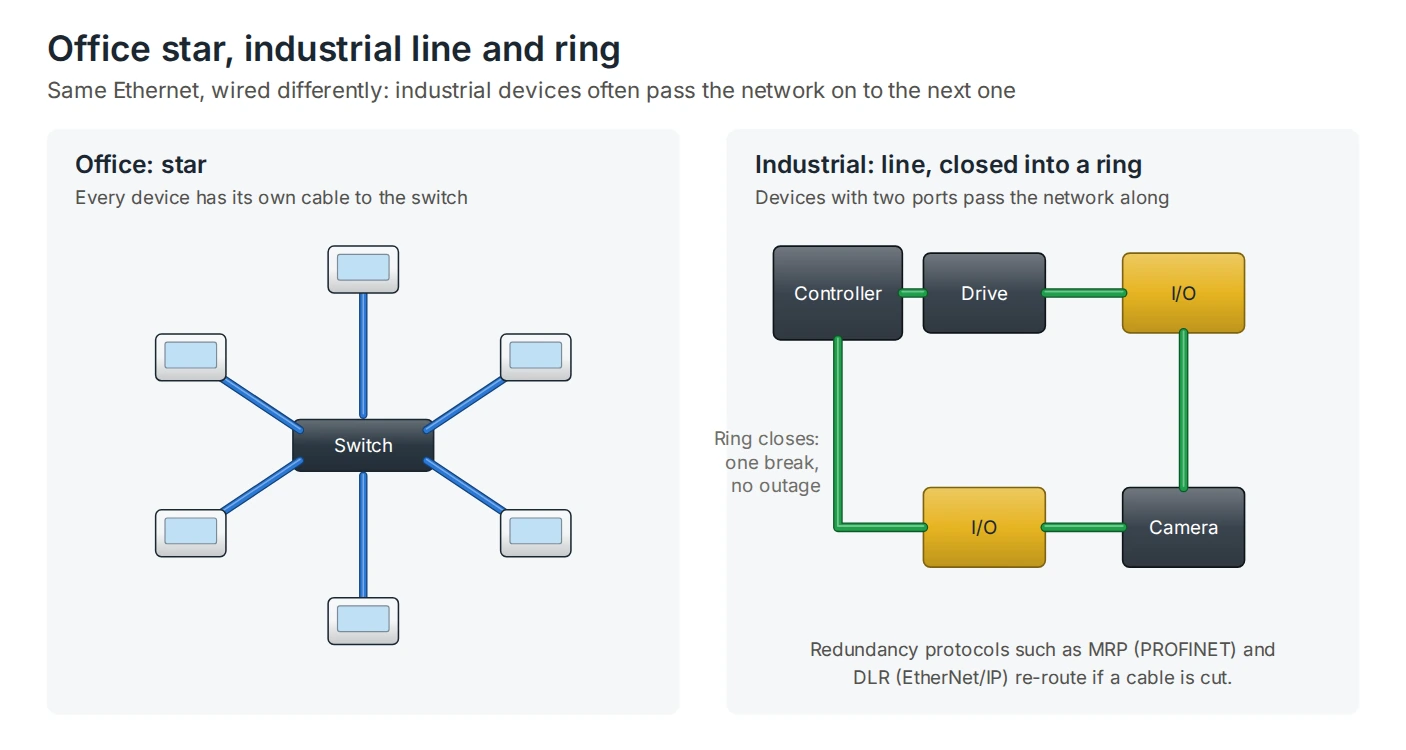
Office networks are wired as a star: every desk has its own cable back to a switch in the comms room. Industrial devices often have two Ethernet ports and a built-in switch, so they can be wired in a line, one after another along a machine. That saves a lot of cable on long machines and conveyors.
A line can be closed into a ring so that a single cable break doesn’t stop production. Redundancy protocols such as MRP for PROFINET and DLR for EtherNet/IP detect the break and send traffic the other way round the ring, usually fast enough that the process carries on.
What changes: timing and protocols
Office traffic can wait a few milliseconds without anyone noticing. A motion controller coordinating several servo drives can’t. Industrial Ethernet protocols such as PROFINET, EtherNet/IP and EtherCAT add predictable, repeatable timing on top of standard Ethernet, in different ways. They all run on standard Ethernet cabling, which is why the same cable families serve all three. Industrial Ethernet protocols explained covers how each one works.
Most field devices still run at 100 Mb/s, which needs only two pairs. Gigabit is growing for cameras, backbones and high-speed controllers, and needs four pairs and X-code or 8-pin RJ45 connectors.
What changes: switches and power
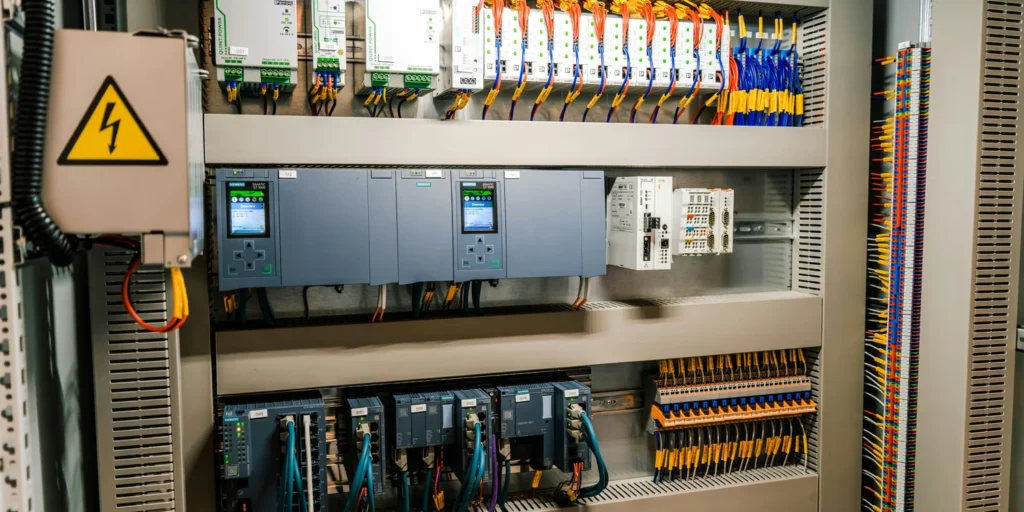
Industrial switches mount on DIN rail inside control cabinets, run from a 24 V DC supply, and are built to cope with wider temperature ranges and vibration than office switches. Many are managed, so they support ring redundancy and diagnostics, and some carry PoE for cameras and wireless access points on the factory floor.
Where office cabling is fine
Not everything in an industrial building needs industrial cabling. Offices, control rooms and clean, dry cabinets are often level 1 on every MICE factor, and standard structured cabling works well there. Screened Cat6 or Cat6A with RJ45 is a common choice for the backbone between cabinets in a plant. Use industrial cable and connectors from the point where the environment gets harsher: on the machine, in wet or dirty areas, near drives, and anywhere the cable moves.
Frequently asked questions
Is industrial Ethernet faster than normal Ethernet?
No. It uses the same speeds. Industrial protocols add predictable timing, not more bandwidth.
Can I use normal Cat6 in a factory?
In offices, control rooms and clean cabinets, yes. On machines, near drives, in wet or oily areas, or where the cable moves, use screened, stranded industrial cable.
Do industrial devices work with office switches?
Yes. The Ethernet interface is the same. An M12 device needs an M12 to RJ45 cable to reach an RJ45 port.
What is MICE?
A way of grading a cabling environment for Mechanical, Ingress, Climatic and chemical, and Electromagnetic conditions, each from 1 (office) to 3 (heavy industrial).
Why are many industrial Ethernet cables green?
Green is the usual colour for PROFINET cable, and is often used for other 100 Mb/s industrial networks. It isn’t a requirement for Ethernet in general.
Summary
Industrial and standard Ethernet share the same standards, speeds and 100 m limit. The differences are physical: stranded, screened cable with tougher jackets, sealed RJ45 and M12 connectors, DIN rail switches, line and ring topologies, and protocols with predictable timing. Grade each route with MICE and choose the cabling to match. DTECH supplies industrial grade data cable, M12 assemblies and industrial Ethernet leads for the harsher parts of the plant.
If you need help specifying cabling for an industrial site, get in touch with the DTECH team.